Approve from the dog.
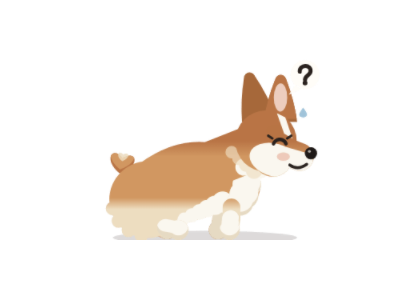
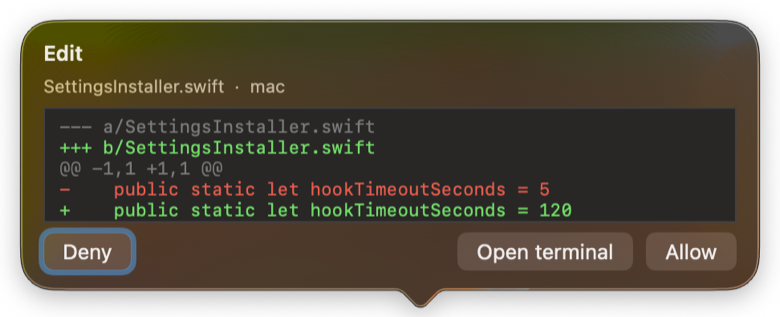
When an agent stops to ask, the corgi squats. Click it: the diff or the command is right there.
Allow or deny without leaving your editor.
Desktop petMac menu bariPhoneApple Watch
When it stops, the corgi stops. Out of quota, it gets hungry. And while it waits for your confirmation… it poops.
Discreet by default on Mac, iPhone and Apple Watch: only the dog, not a single word. No status text, no tool names, no numbers — colleagues see a pet. Turn the details on only when you want them.
Vibe Corgi is a Mac menu bar app. A small corgi lives along the bottom edge of your screen and mirrors what your coding agent (Claude Code, Codex…) is doing on that Mac: it runs while the agent works hard, stops when the agent stops, and lies down by an empty bowl when your quota runs out.
Working hard
Runs flat out
Normal pace
Walks
Slowed down
Strolls
Nothing running
Stands and waits for you
Usage quota exhausted
Lies down by an empty bowl
Quota is back
Bounces
Waiting for your confirmation
Poops — go take a look
Turn the details on and the corgi carries two thin bars: how much of your Claude Code window is gone, and how much of your Codex one. Nothing to switch to, nothing to type — you look at the dog.
Orange is Claude Code. The bar, the collar and the dot that counts its running sessions all share the colour.
Green is Codex. Two bars, one under the other, so you read both windows in the same glance.
Empty bar, empty bowl. When a window runs out the corgi lies down and waits. The moment it resets, it bounces.
The percentages come from the same local signals the corgi reads. They stay on your Mac and travel only to your own devices.
When an agent stops to ask, the corgi squats. Click it: the diff or the command is right there.
Allow or deny without leaving your editor.
Nothing on your screen says “AI”. A small dog runs along the bottom edge, that is all.
Colleagues see a pet. You see the state of every session.
The same corgi on your Lock Screen and on your wrist.
A tap on the wrist when it needs you — nothing to unlock, nothing to read.
An orange collar for Claude Code, a green one for Codex, and two thin quota bars.
You know who is working and how much budget is left, without reading a word.
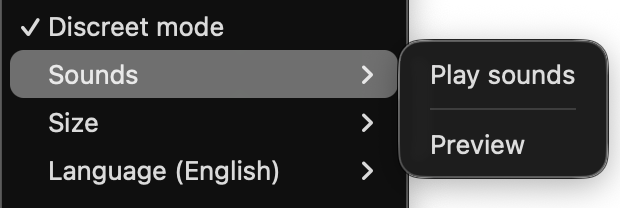
A short woof when it needs you, a whimper when the quota is spent, a happy yip when it's back.
Off by default; real recordings of small dogs.
Open the DMG and drag Vibe Corgi to Applications.
Click “Connect Claude Code” — the app adds a few hooks to ~/.claude/settings.json and wraps your status line, after taking a backup.
Start a new Claude Code session. The corgi starts moving.
It only reads local hook and status-line events on your Mac: event names, session ids, token counts, quota percentages. Never your code, prompts or tool output. No account, no network.
Native Swift, about 60 MB of memory.
The app sends nothing: no telemetry, no account, no server — state goes only to your own iCloud.
Vibe Corgi for Mac
$4.997-day trial · one-time purchase
Starts your 7-day trial
Works on up to 5 of your Macs.
Or with Homebrew
brew install --cask tuziani/tap/vibe-corgi
The Mac app is distributed directly from this site and via Homebrew, and is notarized by Apple.
Pay with PayPal. Your licence key appears the moment the payment goes through — copy it into the app.
iPhone + Apple Watch
$4.99one-time purchase
One-time purchases. No subscriptions.
settings.json from the backup. Then delete the app (or run brew uninstall --cask vibe-corgi).One tap tells us plenty. Four or five stars and we'll ask you to pass it on; anything lower and we'd rather hear what went wrong.